

Transcription

Formatting

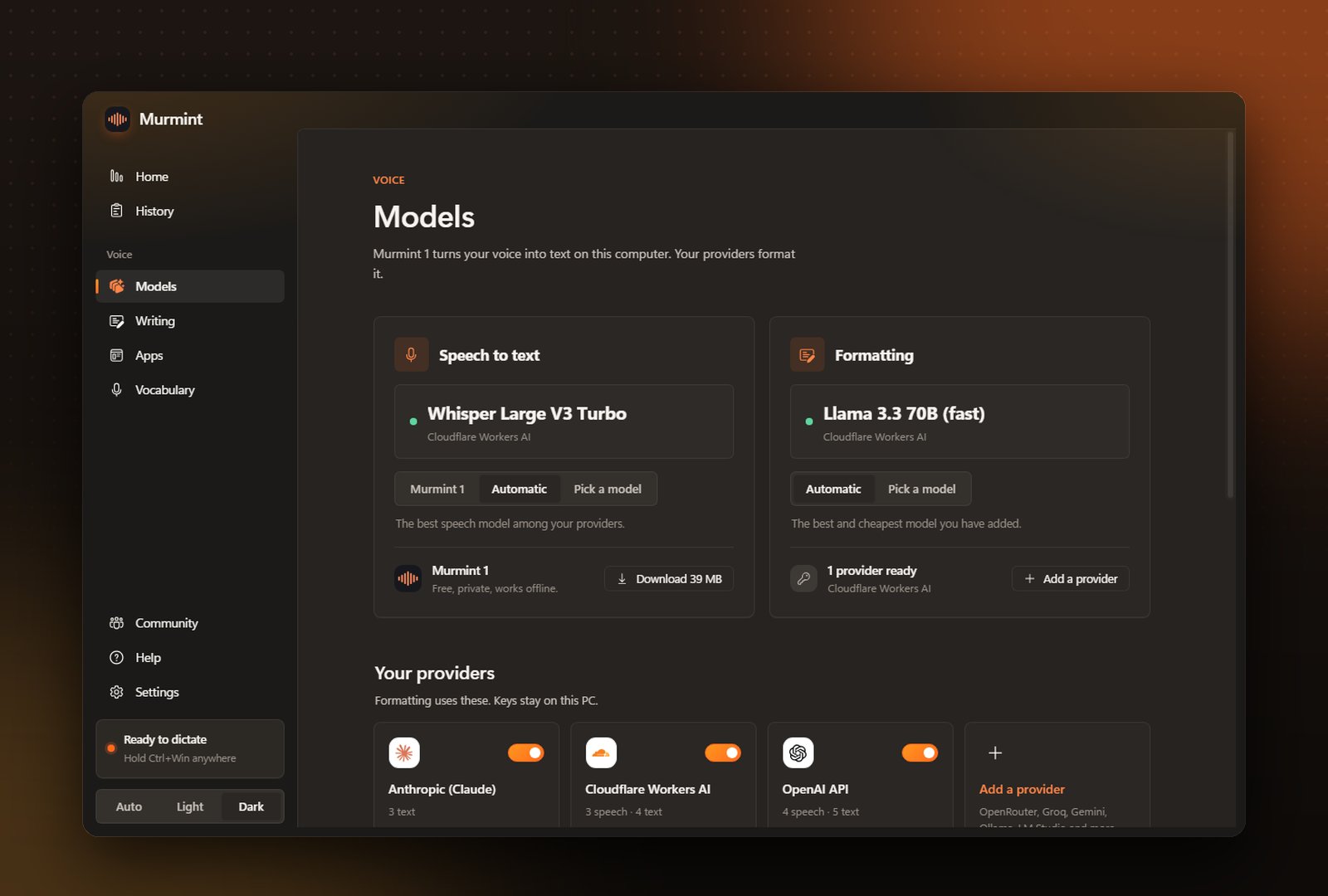
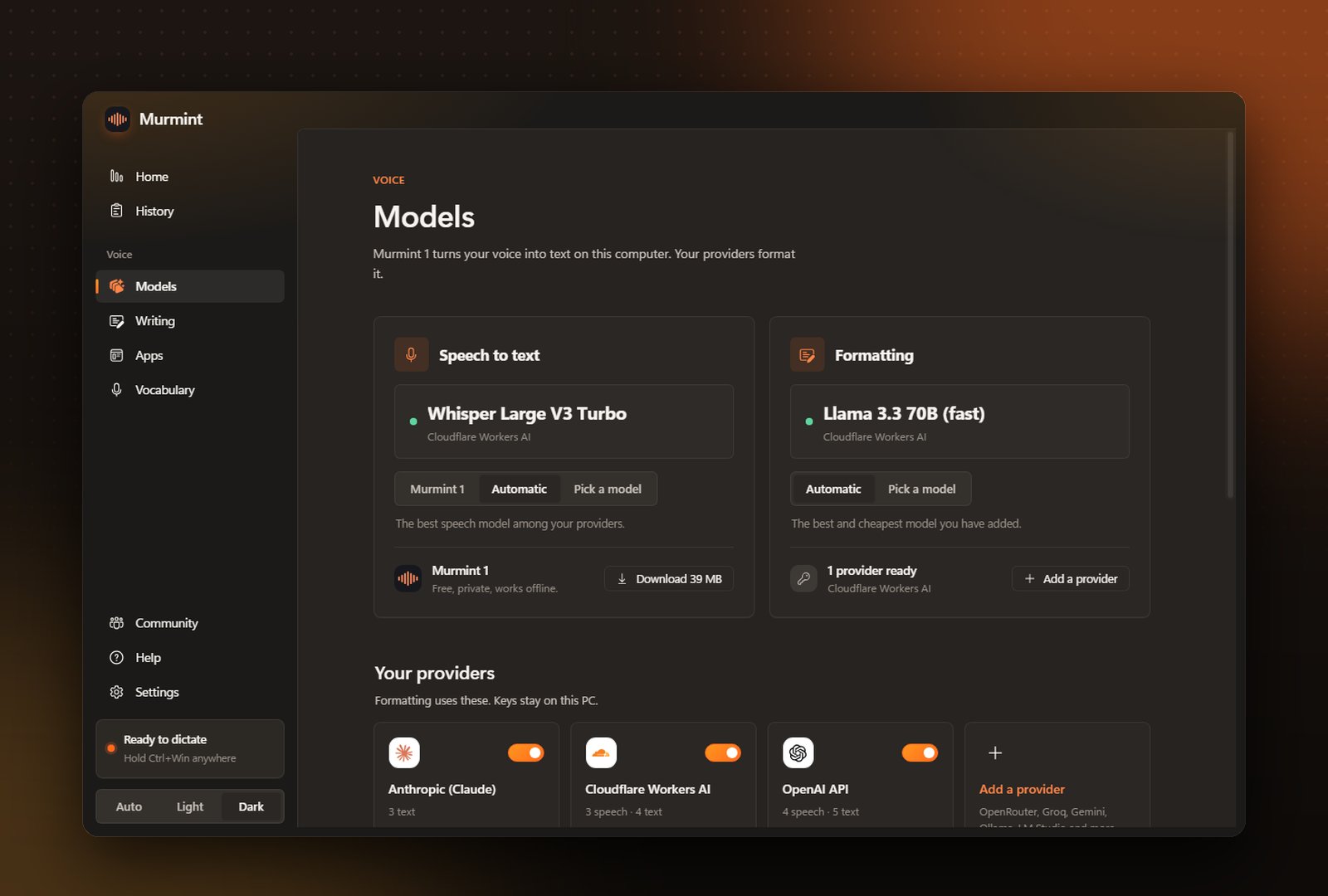
Speech and formatting side by side
The top of the page has a panel for each job, with the model it uses right now.
Pick a model opens a list grouped by provider. Choose one, and add backups under If it fails, try. If Murmint 1 is not on your PC yet, the Speech panel has a button to download it.
Your providers
Your providers are shown as tiles under Your providers. Formatting uses these. Click a provider to add or change its key. Murmint saves the key, tests it, and tells you straight away if it works.1
Click Add a provider
Pick one from the grid: OpenRouter, Groq, Gemini, Mistral, xAI, DeepSeek, Ollama, LM Studio, or any OpenAI-compatible server.
2
Paste your key
Local ones like Ollama and LM Studio need no key.
3
Choose the models you want
Murmint lists what the provider offers.